Features
What Aether adds
Templates you can actually see, animation you author in-engine, bodies you can pose — and the UI system the whole fork is built around.

Templates you can actually see, animation you author in-engine, bodies you can pose — and the UI system the whole fork is built around.
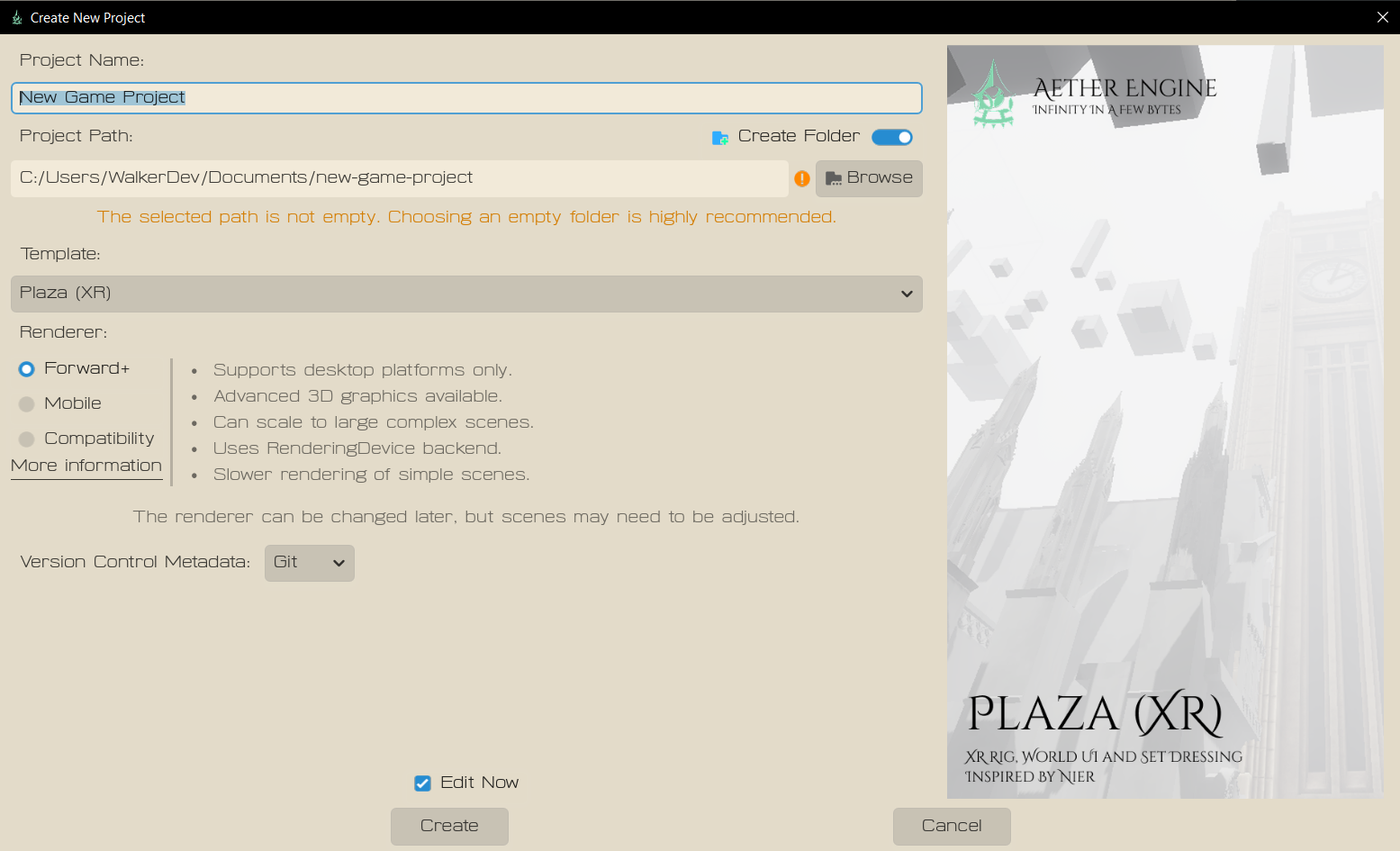
Browse, create and pick from default project templates right inside the editor. Drop an image onto a template and you get a view of the project/a visualizer.
Start from a furnished room or a clean XR slate and you're building in seconds, not configuring for an afternoon.
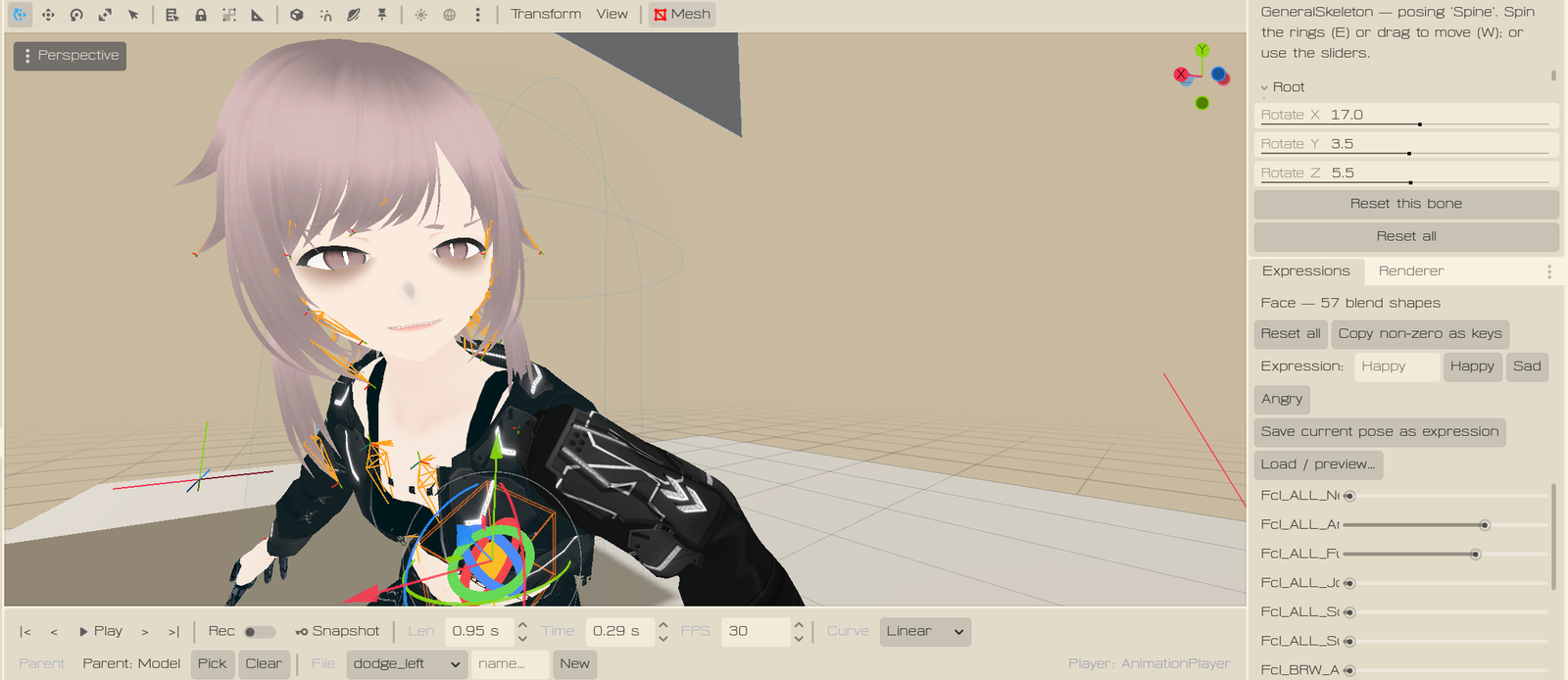
Animation authoring is far easier now. Work the way you would in Unity: drop an AnimationPlayer, and everything you do under it can be recorded and saved through a custom in-engine animation editor.
No round-trip to another tool to block out a motion — record it where it plays.
Like blendshapes? View and edit them without leaving the engine. You can even view and pose the bodies themselves right in the editor — check an expression or a pose in place, on the actual rig.
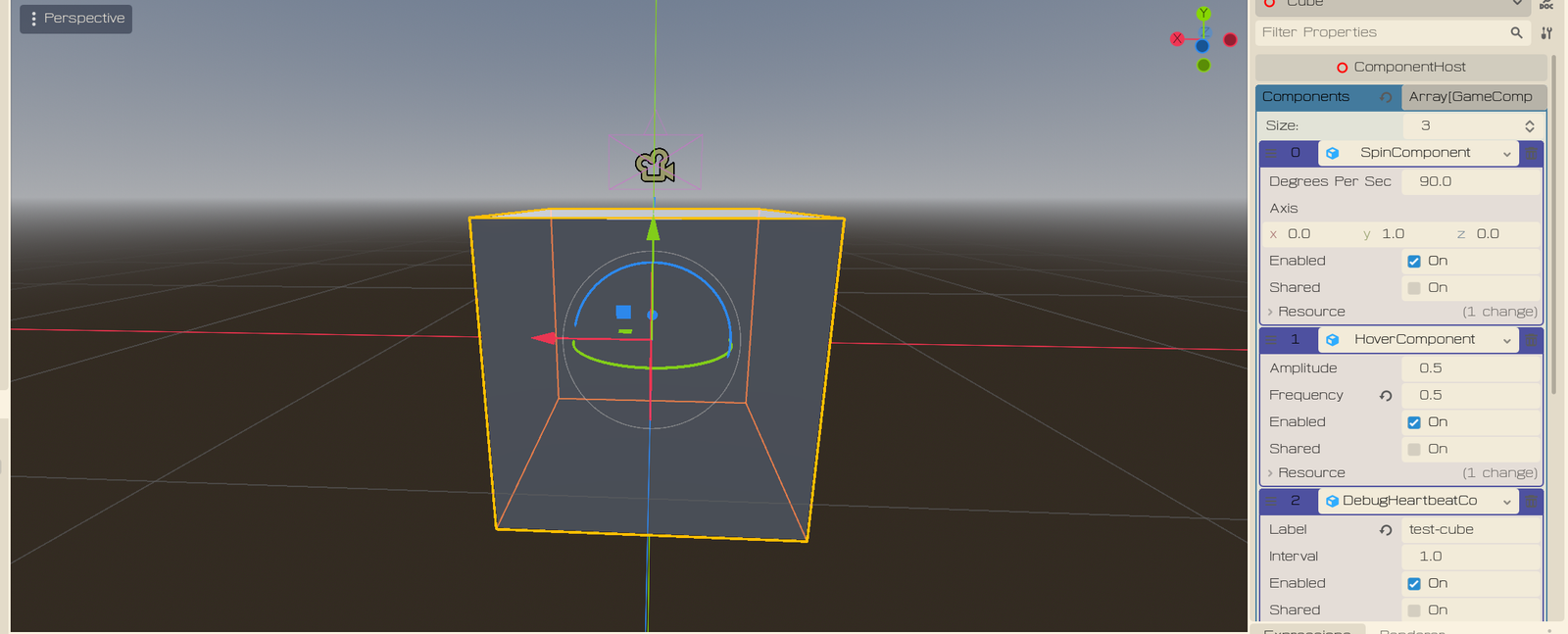
Put more than one script under a single node through a type that handles syncing the runtime logic for each of them. Compose behaviour from small, focused pieces instead of one sprawling script.
The whole reason this fork exists.
Every other engine builds world-space UI the same way: it draws your interface flat onto a texture with the GPU, then pastes that texture onto a plane floating in the scene. That's fine for a pause menu. The XRUIOS is made of UI, so it buckles fast.
So Aether's UI doesn't do that. Every UI is actual geometry, and a whole panel batches down to basically one draw call.
And because it's real geometry, it's sharp. Walk right up to a panel and the text doesn't melt into a blurry mess — there's no fixed-resolution texture to pixelate, so it stays crisp at any distance. You can even curve an entire panel around you and the text stays clean, because you're bending the mesh, not stretching an image.
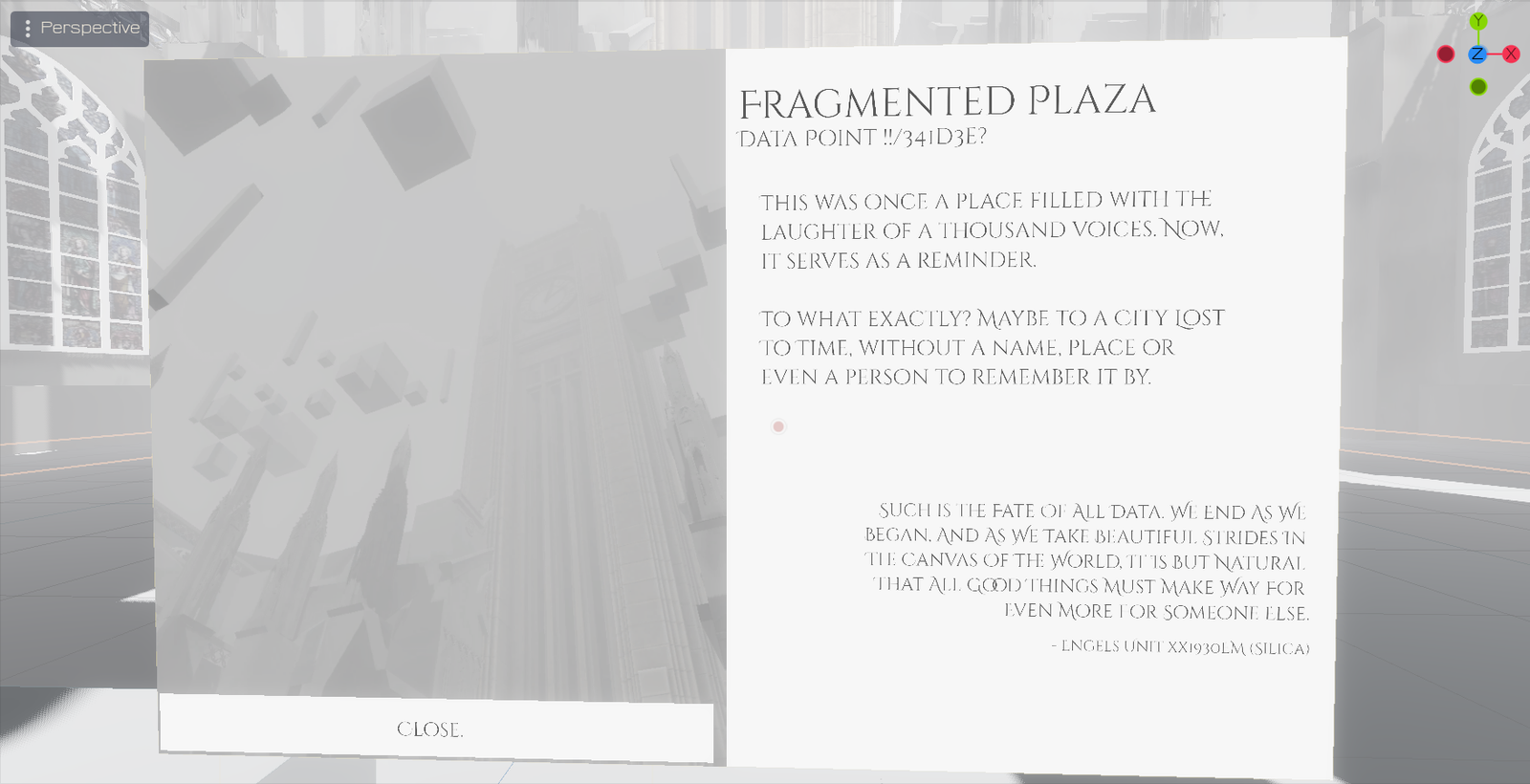
New widgets — buttons, sliders, toggles, dropdowns, input fields, scroll views, layout groups and more. The anchors and pivots you know from Unity, plus a real per-element X, Y, Z and alignment system.
The UIs are fully interactable, and two hands won't fight over the same control — a press is claimed and stays claimed.
UIs render with proper depth from the camera, so they show and hide based on what you should and shouldn't see.
Aether ships with the Arch ECS baked in — characters are rows of data a handful of systems sweep at once, so I don't get three enemies, I get a battlefield. Here's what I'm building on it.
Line-of-sight perception, morale, per-bone hits and committed swings — fighters as coordinated as Halo 1's. Built for Masuki Quest.
Explore combat →Needs that drain, objects that advertise what they offer, and a body you can just talk to. Built for Echoes Online.
Meet the sim →